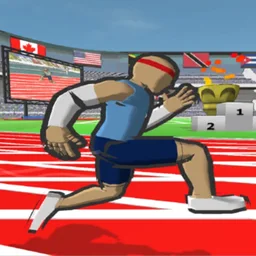
 SPEED STARS
Speed Stars not working
The October 2026 store note for version 2.55 is only “Bug fixes and improvements.” It does not list the bugs. The reports below are player wording collected by JustUseApp for the iOS app. They are symptoms, not a Miniclip incident log, and a fix that worked for one phone is not a promise.
Reported symptoms
- After winning, taps do nothing.
- Opening a high-score board says there is no connection.
- The app crashes on launch.
- A white screen, or the race slows down and stalls.
What to try, in order
- Update from the App Store or Google Play. A mod package will not receive 2.55. See versions.
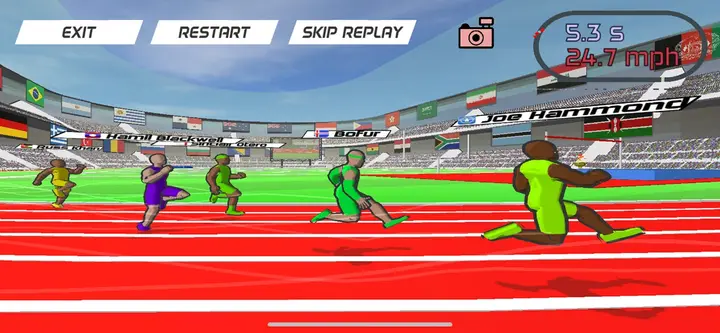
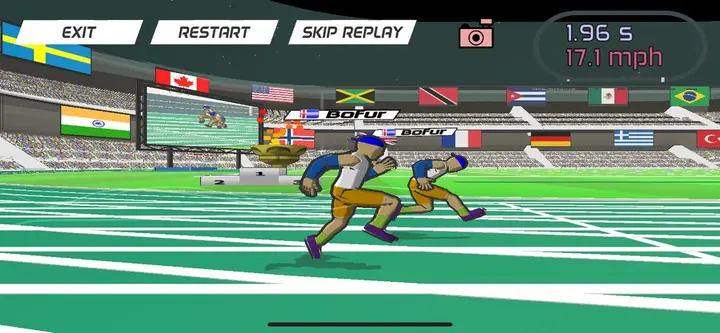
- Force-close and reopen. If the post-race screen is the only thing stuck, the replay buttons (Exit, Restart) are part of that screen, not the race inputs.
- Check the network before blaming the leaderboard. The report is “no connection,” which is a failed request, not a banned account.
- On a browser copy, reload once. If a school filter is the cause, that is the unblocked problem, not a broken install.
- Before reinstalling, note that the store pages do not explain whether local progress is backed up or restorable. Check the app’s account and support information first; do not assume a save will return.
After a race, check whether the result or replay screen is waiting for a visible button before treating the app as frozen. If the controls themselves do not respond, force-close and reopen the app; this is a basic troubleshooting step, not a confirmed fix for every reported device.
Google Play lists Miniclip as the developer contact on the store listing. Use that listing’s support path for an account or purchase issue. This site cannot see your save.
FAQ
Why can’t I click anything after the race?
Players report a stuck screen after a win. First check for controls on the result or replay screen. If they do not respond, force-close and reopen the app, then check the official store for an update. These steps are not a verified fix for every device.
Speed Stars says no connection on the leaderboard.
That message is a failed network request in player reports. Check the connection, then the store build. A modified package can fail this call for reasons the store build does not.
Keep going
Sources
Checked 2026-10-23. Figures that are not on an official store page are marked as community notes.